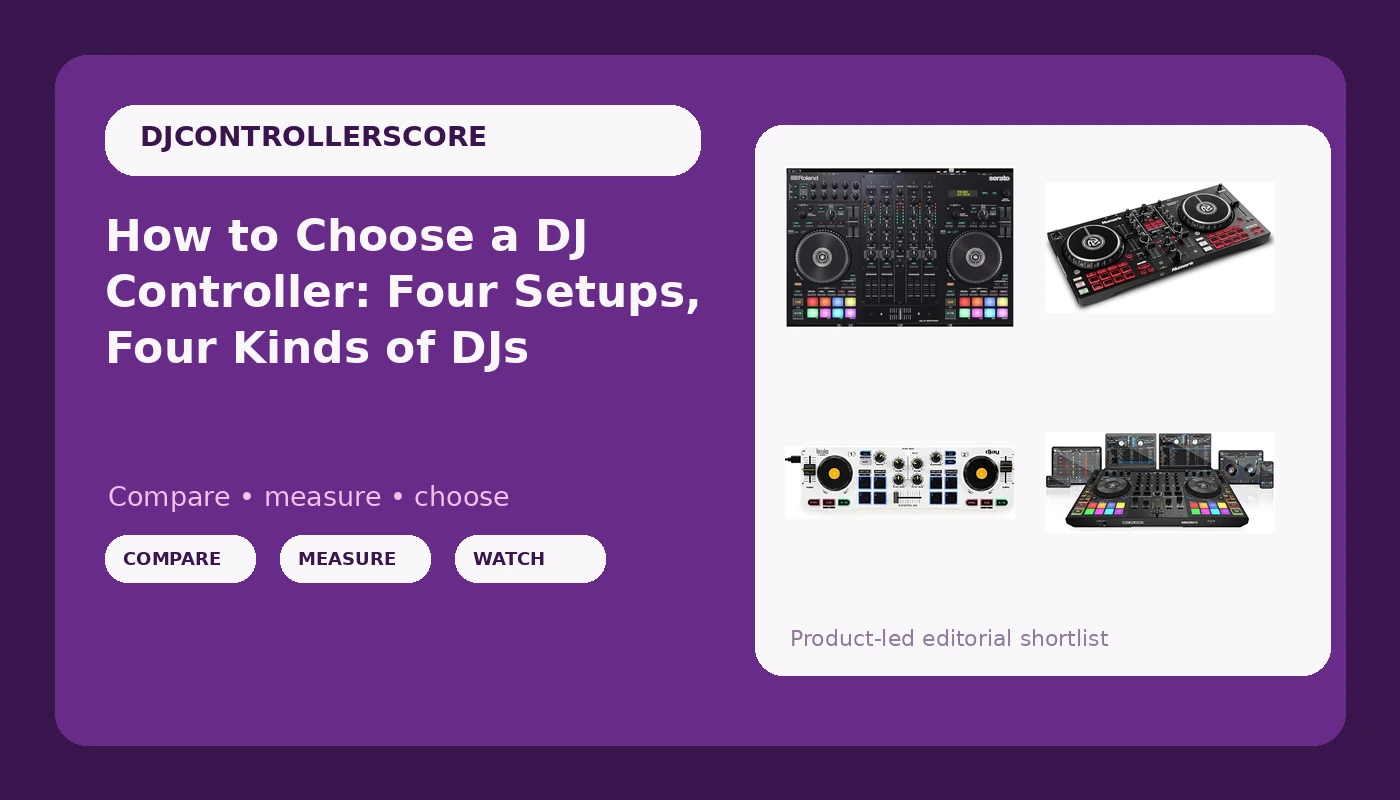
Buying a DJ controller is a matching problem, not a ranking problem. This DJ controller buying guide is built around four very different rigs, because the question that actually matters is not which controller is objectively the strongest. It is which one fits the way you already play. Someone practicing transitions in a bedroom needs something different from someone streaming three nights a week, and both need something different from a DJ who has been running four sources for a year and is tired of juggling them in software. Below I break down four controllers, what each one is genuinely for, and where each one stops making sense.
Related: Best DJ Controllers for Beginners →
Quick answer
Match the controller to your sources and to whatever plays the music, not to a spec sheet. If you play from a laptop and mix two tracks at a time, a two-channel controller in a standard layout is the correct starting point. If you want to leave the laptop at home and play from a phone or tablet, a wireless two-deck controller is the tool that makes that possible. If you stream or work mobile gigs, buy the controller that was designed around routing a microphone and a broadcast feed. If you already mix more than two sources live, four channels are worth the money. I am not going to call any of these the best or the most durable, because those labels need evidence from long-term use, and the honest answer is that the right pick depends on the job.
Four useful options
| Model | Best fit | What stands out |
|---|---|---|
| Numark Mixtrack Pro FX DJ Controller | First two-channel setup for a laptop DJ | Standard two-deck layout that most beginner lessons assume |
| Hercules DJControl Mix, Bluetooth Wireless DJ Controller for Smartphones (iOS and Android), dJay app, 2 Decks, White | Playing from a phone or tablet | Bluetooth wireless connection with the dJay app workflow on iOS and Android |
| Roland DJ-707M DJ Controller for live streamers and content creators (DJ-707M) | Streaming, mobile gigs, and content creation | Named and built for live streaming and content creation |
| Reloop Mixon 8 Pro 4-Channel DJ Controller, Black | DJs who already mix more than two sources | Four-channel layout in a pro-oriented chassis |
The two-channel starter: Numark Mixtrack Pro FX DJ Controller
The case for this one is simple. It is the layout that almost every beginner lesson, tutorial, and forum answer assumes you own: two decks, a crossfader, channel faders in the usual places, and performance controls for cues and effects. If your plan is to learn on a laptop with the software the controller unlocks, you will spend your practice time mixing instead of remapping controls.
The trade-off is capacity. Two channels means no third deck, no dedicated microphone channel, and no room for a second audio source without unplugging something. The Mixtrack line also carries a long-standing reputation for faders that feel light and plasticky, which is the normal compromise at this level and the reason I would not plan on it being your last controller. If you are unsure whether you will stick with DJing, this is the sensible place to find out without spending four-channel money.
The phone-first pick: Hercules DJControl Mix, Bluetooth Wireless DJ Controller for Smartphones (iOS and Android), dJay app, 2 Decks, White
Not everyone wants a laptop in the signal chain. The Hercules DJControl Mix is built around the opposite idea: your phone or tablet is the player, the controller is the hardware, and Bluetooth handles the connection. That makes it genuinely useful for travel, small parties, and practice sessions where setting up a laptop is the friction that stops you from playing at all.
The trade-offs are real. Wireless means battery management and a connection you should test thoroughly before you rely on it in front of people, and the controls are small because the whole unit is sized to sit next to a phone. It is also the least like a club layout of the four, so if your goal is building muscle memory for a standard booth setup, keep that in mind. As a second controller, or a first one for someone who mostly plays from a phone, it does a job the others cannot.
The streaming and mobile workhorse: Roland DJ-707M DJ Controller for live streamers and content creators (DJ-707M)
Roland built this one for a specific audience, and the name says it out loud: live streamers and content creators. That is a different job from club mixing. A stream or a mobile gig usually means a microphone, a second audio source, and a need to route everything without a pile of adapters, and this controller is organized around that reality.
That focus cuts both ways. If you mix two decks at home with headphones and never touch a microphone, you are paying for routing and inputs you will not use, and the layout will feel busier than it needs to be. If you do stream, run ceremonies, or handle announcements between sets, the extra capability is the difference between a clean broadcast and a mess of cables. Buy it for the job it was designed for, not as a general upgrade.
The four-channel step up: Reloop Mixon 8 Pro 4-Channel DJ Controller, Black
Four channels change how you mix. A third deck stays live for loops, an acapella, or a track you want to bring in without swapping anything out. The Mixon 8 Pro is positioned for DJs who have already learned on two channels and now need that capacity on the hardware instead of juggling it in software.
The cost is not only money. Four-channel controllers are bigger, heavier, and less fun to carry to a small gig, and the extra channels are worthless if you never use them. My rule is simple: if you cannot describe the third source you plan to run, you are not ready for four channels yet. If you can describe it without thinking, the step up is overdue.
Prices and availability may change. Product images, names, and retailer links must be matched by verified ASIN. Do not state a current price, rating, stock status, or measured result without current evidence.
Why the software bundle matters more than the spec sheet
A controller is a box of controls. The software decides what those controls do, and the bundle is where the real differences hide. Before you compare anything else, answer three questions about the software a controller unlocks: does the license last, does it need a subscription for features you will use every week, and does it match what the DJs around you use?
The first question matters because some controllers ship with a limited license that upgrades into a paid tier. That is not automatically a bad deal, but it changes the real cost of the purchase, and it belongs in your decision.
The second question matters because basic features locked behind a subscription are a recurring bill on top of hardware you already paid for. If recording a mix, saving cue points, or using a particular effect requires an ongoing payment, price that in before you commit.
The third question is about portability of skill. Learning one ecosystem deeply is worth more than dabbling in three, and the ecosystem your local scene uses shapes what you can share and what you can plug into when someone hands you a cable.
None of that appears on a spec sheet, and all of it affects how your first year of practice feels. Hardware gets replaced. Habits do not.
How to judge a controller you cannot touch yet
You cannot feel a jog wheel through a product page. What you can do is check the things that are knowable before you buy, and be honest about the things that are not. Channel count, connection type, and bundled software are knowable. Fader durability and jog wheel resistance are not, which is why long-term reputation and a return window matter more than marketing copy.
Here is the sequence I would use:
- Count your sources. Decks, microphone, phone, a second laptop: whatever has to be live at once decides your channel count.
- Decide what plays the music. A laptop, a tablet, or a phone rules entire categories in or out.
- Check the bundled software and its licensing before you look at the hardware.
- Match the control layout to the way you already work, not to the way you plan to work someday.
- Budget for the accessories nobody mentions: a case, cables, headphones, and a stand.
That list takes twenty minutes and prevents most of the regret I see in beginner threads.
Practical guidance for the first month
- Plan transitions before you buy anything. Gear does not fix a bad transition, and no controller has a button for reading a room.
- Practice on the software you own rather than the one you are thinking about buying. Switching ecosystems mid-learning resets your muscle memory.
- Treat faders as wear items. Assume the crossfader and channel faders will need attention eventually, and decide now whether that is a dealbreaker for you.
- If you cannot name a third source, buy two channels. A well-used two-channel controller beats a four-channel one you never learned properly.
- Keep the box and the receipt. Controllers hold value best when they are complete, and a return window is the only real test drive you get.
Which option should you choose?
Choose the Numark Mixtrack Pro FX DJ Controller when you are learning on a laptop and want the standard two-deck layout that lessons assume. Choose the Hercules DJControl Mix, Bluetooth Wireless DJ Controller for Smartphones (iOS and Android), dJay app, 2 Decks, White when your phone or tablet is the player and you want to leave the laptop out of it. Choose the Roland DJ-707M DJ Controller for live streamers and content creators (DJ-707M) when streaming, mobile gigs, or content creation is the actual job and you need the routing to handle a microphone and a broadcast feed. Choose the Reloop Mixon 8 Pro 4-Channel DJ Controller, Black when you already mix more than two sources and want four channels under your hands.
One caveat before you buy. I have not measured durability, latency, or audio performance on this group, and nothing here is a claim about how any of them behaves over years of use. Bundles and connections can change between production runs, so verify the current software license and ports on the product page. Prices move constantly, which is why every option here says the same thing: check the current Amazon price rather than trusting a number printed in an article.
The bottom line
Start with the job. A two-channel controller teaches you to mix, a wireless two-deck controller frees you from the laptop, a streaming-focused controller handles the microphone and the broadcast, and a four-channel controller gives you room once two sources stop being enough. The software bundle and the channel count will shape your first year more than any spec you can memorize, and the faders are the part you cannot evaluate from a product page. Pick the option that matches how you already play, budget for the case and the cables, and spend what is left on practice. That is what actually moves a DJ forward.